


Sniffnet v1.6 is out! 🎉
After 7 months of development, a new major version of Sniffnet is now available for everyone to download.
Without further ado, let’s take a look at some of the features introduced in this release.
IPFIX support
In addition to monitoring traffic from network adapters and capture files, Sniffnet v1.6 can now also collect IPFIX (IP Flow Information Export) data from network devices such as routers, firewalls, and servers.
This lets you monitor devices where Sniffnet cannot run directly, and enables you to analyze traffic from multiple devices in a single place.
Hardware from vendors like Cisco, Juniper, and MikroTik can export IPFIX data natively,
while for other devices you can install an IPFIX exporter of your choice.
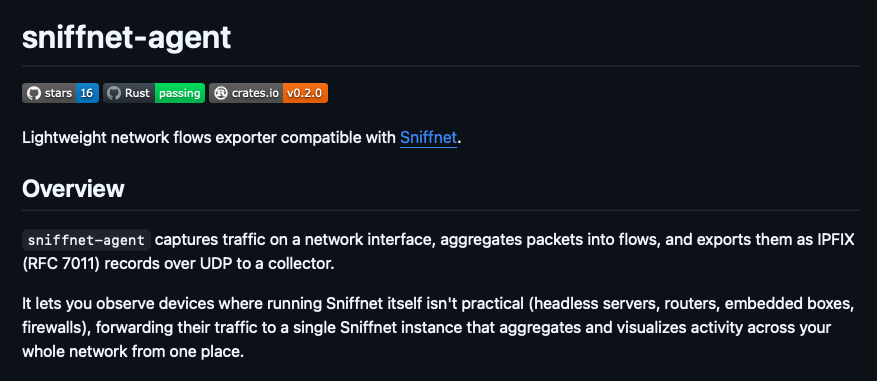
Where possible, we suggest using sniffnet-agent,
our new official lightweight IPFIX exporter that is purpose-built for maximum compatibility with Sniffnet and keeps configuration to a minimum.
Show current data rates
Previously, Sniffnet only showed the total amount of data sent and received from the start of the monitoring session.
This made it hard to understand the current network usage, especially during long captures,
because the previously collected data could overshadow recent traffic spikes.
Version 1.6 introduces the option to show only what’s happening right now, helping you to stay focused on the current network activity.
Service taxonomy
Sniffnet could already identify more than 6000 upper layer services, including protocols, trojans, and worms.
To make it easier for you to understand what the observed services are used for,
this version introduces a taxonomy that groups them into 20 categories,
such as Web, Email, Gaming, and Security.
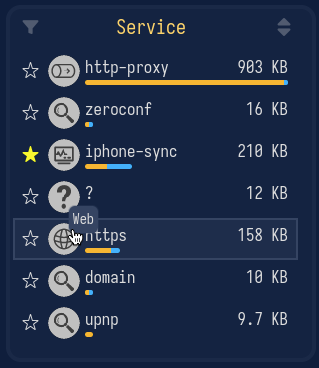
For the complete taxonomy and more info about how Sniffnet identifies upper layer protocols, you can visit our new Services Wiki page.
Other features
Sniffnet v1.6 adds support for IGMP and VLAN connections, further expanding the spectrum of network traffic that can be monitored.
This version also introduces a new expanded view setting to optionally hide the app’s footer and make the header slimmer, allowing users to focus on what matters most.
For the full details, including other improvements and bug fixes, you can check the release page on GitHub.