Install on macOS
Would you like to install Sniffnet on macOS?
You can easily do that by following the next steps:
-
download a macOS-compatible version of the application, available from the official website or GitHub releases
-
open the downloaded file, and drag Sniffnet icon into the
Applicationsfolder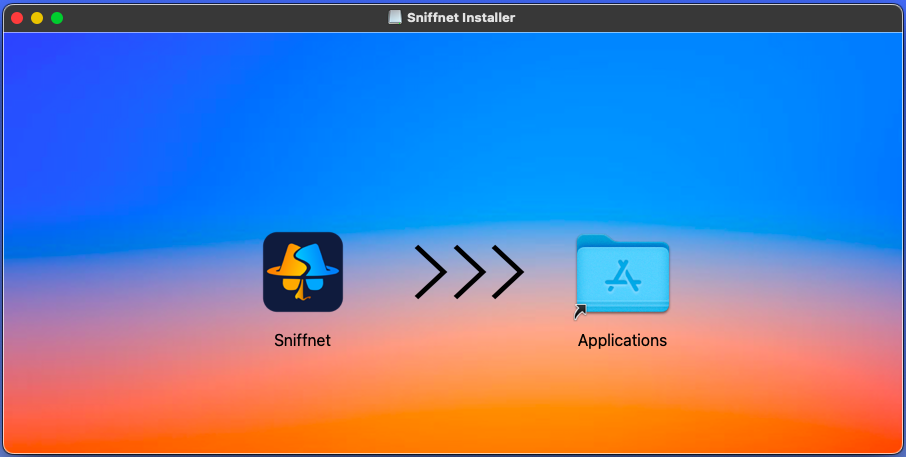
-
open your
Applicationsfolder, right click on Sniffnet and selectOpen, allowing your macOS to execute it -
in case the application doesn’t launch, open
Settings->Security & Privacyand click theOpen Anywaybutton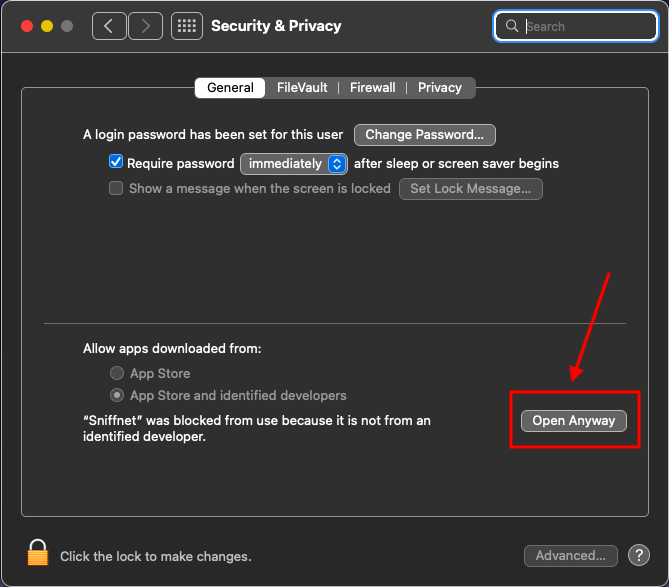
-
and… you are finally ready to comfortably monitor your Internet traffic with Sniffnet! 🕵️♂️
If you decide to download Sniffnet in an alternative way (e.g., from Homebrew) remember that you’ll have to launch the app with administrator privileges from your terminal (
sudo sniffnet) to correctly monitor your network adapters.